
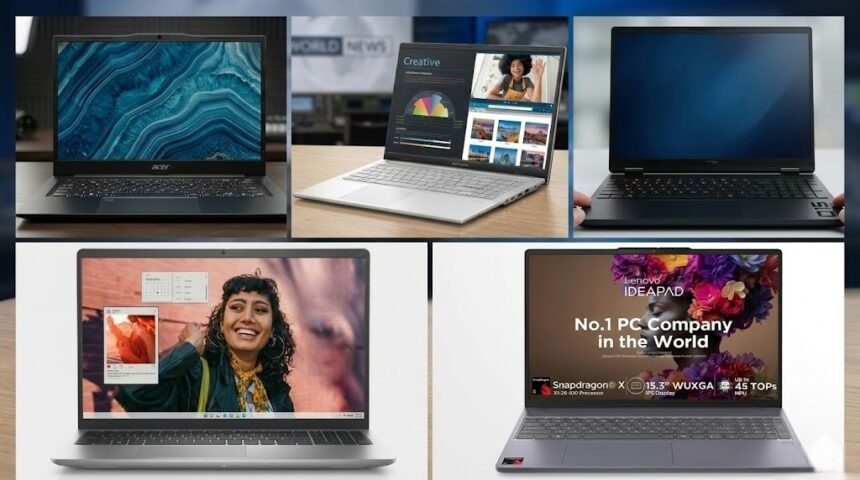
Best laptop under 50000 — that is what thousands of Indian students and professionals search for every single day If you go to an electronics store or do a search on Amazon or Flipkart, you will see so many laptops coming up at once that it becomes difficult to decide which one to buy. Almost every brand claims that their laptop is the “perfect” one for you.
- Acer Aspire Lite (Intel Core i5-12450H) — Best Overall Laptop under ₹50,000
- ASUS Vivobook Go 15 OLED — Great for students who love a good display
- HP 15 (Ryzen 7 5825U) — Great laptop for office work and multitasking
- Dell Inspiron 15 3535 — Reliable Laptop for Daily Use
- Lenovo IdeaPad Slim 3 — A good option for students on a tight budget
- How to Choose the Best Laptop Under ₹50,000 — Easy Budget Laptop Buying Guide
- Conclusion — Best Laptop Under 50000: Our Final Recommendation
- Frequently Asked Questions (FAQ)
- Why Trust Us?
But the reality is a little different. Not all laptops under ₹50,000 are actually good. Some laptops look great on paper with great specifications, but in reality, they don’t perform that well. Then there are some laptops that are really powerful, but no one talks about them much.
In this guide, I have researched thoroughly and selected the 5 best laptops under ₹50,000 in India in 2026. Here are laptops that can be good options for all types of users—students, office workers, professionals, and even coders.
And finally, I have also provided a simple buying guide so that you can clearly understand what exactly to look for before buying a laptop.
Let’s get started then.
Acer Aspire Lite (Intel Core i5-12450H) — Best Overall Laptop under ₹50,000
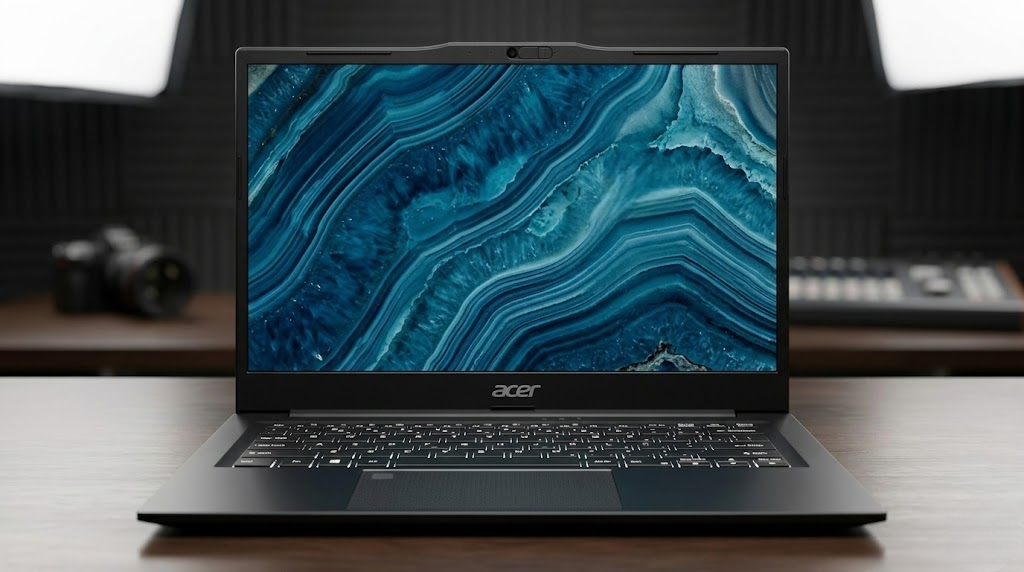
Editor’s Choice — Best Overall
If you are looking for a laptop under ₹50,000 that is balanced in terms of performance, RAM, and daily use, then the Acer Aspire Lite (i5-12450H) is a really good option. This price range usually comes with 8GB RAM, but here it has 16GB RAM—which is a big plus point at this price.
Students, learning coding, office work, online classes, multitasking—this laptop can handle all these tasks very easily. So for many, it can be called the best overall laptop under ₹50,000.
Key Specifications
- Processor: Intel Core i5-12450H (12th Gen, up to 4.4 GHz)
- RAM: 16 GB DDR4
- Storage: 512 GB SSD
- Display: 15.6-inch Full HD IPS, 60Hz
- OS: Windows 11 Home
- Battery: About 6–7 hours (typical use)
- Weight: About 1.7 kg
Pros
- 12th Gen Intel i5 processor — Coding, multitasking, office work runs very smoothly
- 16GB RAM—A really big advantage at this price; no need to upgrade separately
- 512GB SSD — The laptop boots very quickly and file opening is also fast
- Lightweight design — Good for students or those who go out with a laptop
- Windows 11 pre-installed — No need to buy a separate OS
Cons
- Display color accuracy is not very high-end, so it is not perfect for professional graphics work
- No dedicated GPU, so heavy gaming is not ideal for heavy video editing
Our Verdict
In our opinion, the Acer Aspire Lite (i5-12450H) is one of the most balanced laptops under ₹50,000 these days. If you are a student who learns coding, works in an office, or works from home, then this laptop will easily handle your daily tasks.
Simply put, if you want a good-performing i5 laptop under ₹50,000, you can close your eyes to it.
ASUS Vivobook Go 15 OLED — Great for students who love a good display
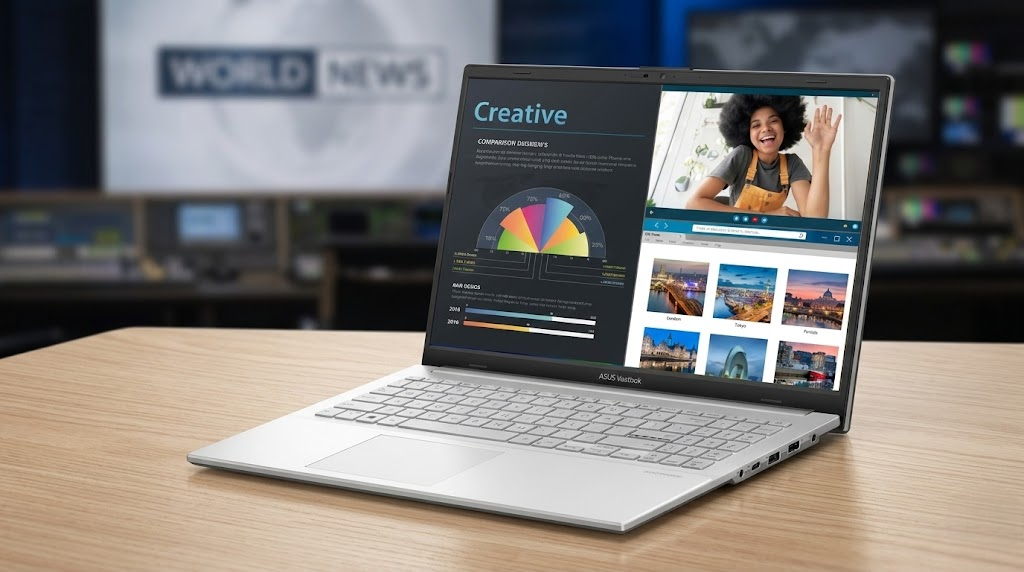
Best Display Under ₹50K
If you are a student who loves watching movies, YouTube, making presentations, or editing photos, then the ASUS Vivobook Go 15 OLED might be a great choice for you. The biggest attraction of this laptop is its OLED display.
Where normal laptops have normal IPS screens, this one has an OLED screen—which means that colors are much more vivid, blacks are very deep, and contrast is excellent. Simply put, you will get a really different feel when watching videos or pictures on this laptop.
The laptop is also light, making it easy to carry to college.
Key Specifications
- Processor: AMD Ryzen 5 7520U
- RAM: 8 GB LPDDR5 (upgradeable to 16 GB)
- Storage: 512 GB SSD
- Display: 15.6-inch OLED Full HD, 60Hz
- OS: Windows 11 Home
- Battery: About 7–8 hours
- Weight: About 1.63 kg
Pros
- OLED display—Color, contrast, and visual quality are truly amazing
- Light and slim design—very portable for college students
- Battery backup is good—a day of classes or meetings goes by easily
- Ryzen 5 7520U processor—Handles daily work, browsing, office work well
- LPDDR5 RAM—Slightly faster than previous generation RAM
Cons
- 8GB RAM may be a little slow for heavy multitasking—better to upgrade
- No numeric keypad on the keyboard
- AMD integrated graphics are okay for general work, but not for gaming
Our Verdict
If you are a student and love watching videos, viewing content, or doing light photo editing on a laptop, then the ASUS Vivobook Go 15 OLED is a really great option.
This laptop is unique because it has an OLED screen, which is rare at this price.
Simply put, it is also a good choice among the best Ryzen 5 laptops under ₹50,000.
HP 15 (Ryzen 7 5825U) — Great laptop for office work and multitasking
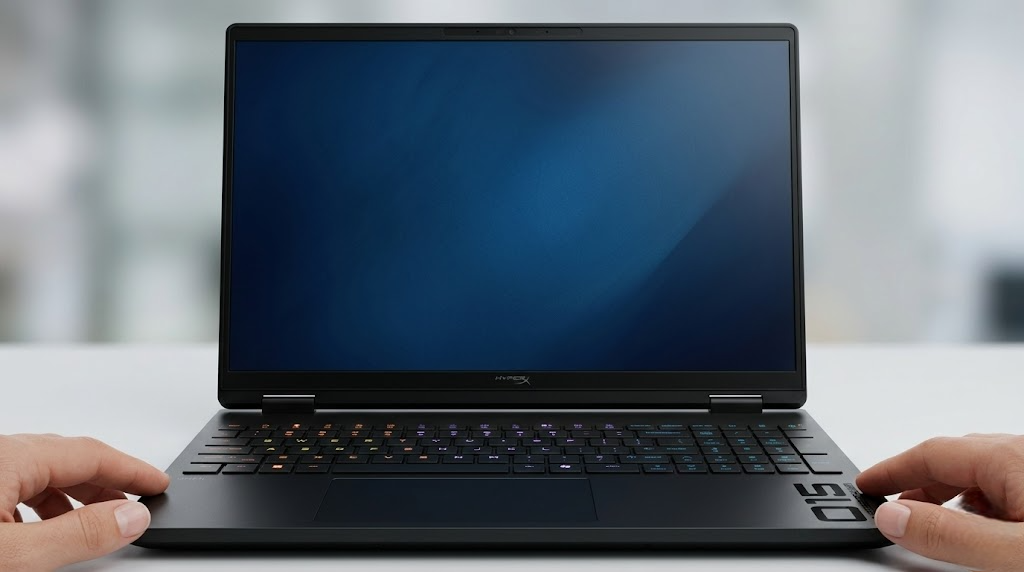
Best for Office Work
If you are looking for a laptop that can handle office work, multitasking, Excel, Zoom meetings, or browsing—everything with ease—then the HP 15 (Ryzen 7 5825U) can be a very good option.
The biggest strength of this laptop is its Ryzen 7 processor. This price range rarely offers such a powerful processor. With 16GB of RAM, the laptop runs quite smoothly even when running multiple browser tabs, Excel files, or video meetings at the same time.
Another good aspect is its anti-glare display. Even if you work for a long time, there is not much strain on the eyes, so it is quite comfortable for those who work on a laptop all day.
Key Specifications
- Processor: AMD Ryzen 7 5825U (up to 4.5 GHz)
- RAM: 16 GB DDR4
- Storage: 512 GB SSD
- Display: 15.6-inch Full HD IPS Anti-Glare
- OS: Windows 11 Home
- Battery: About 8–8.5 hours
- Weight: About 1.75 kg
Pros
- Ryzen 7 processor — Provides quite powerful performance at this price
- 16GB RAM—No problem even if you run multiple tabs, Excel, Zoom simultaneously
- Anti-glare display—comfortable for eyes for long hours
- Good build quality from HP brand and service support almost everywhere in India
- Battery backup is good—a day’s work of the office goes by easily
Cons
- A little heavier than many other laptops
- It has a plastic body, so may not feel very premium like metal laptops
Our Verdict
For those looking for a good laptop for office work under ₹50,000, HP 15 (Ryzen 7 5825U) is a really powerful option.
If you spend most of your day working in Excel, Google Docs, Zoom, Teams, or in a browser, this laptop will easily handle your daily tasks.
Simply put, it is one of the best laptops at this price for office work and multitasking.
Dell Inspiron 15 3535 — Reliable Laptop for Daily Use
Most Reliable Brand
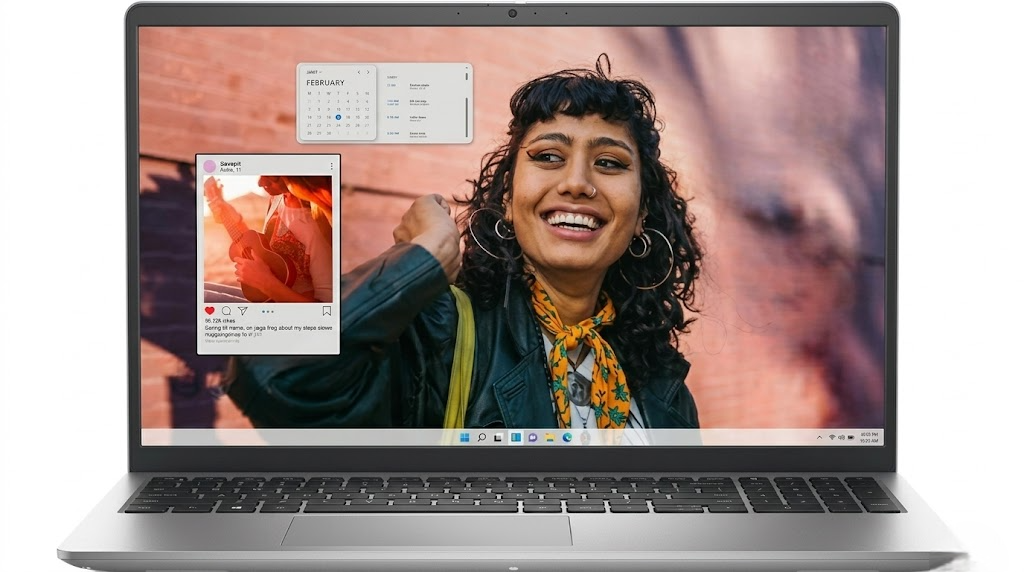
Many people rely on the brand and not just the specifications when buying a laptop. And Dell has been a very trusted name in that space for many years. So if you want a laptop that can handle everything from daily use, studying, office work, or browsing, then the Dell Inspiron 15 3535 can be a good choice.
This laptop has an AMD Ryzen 5 7530U processor, which gives very smooth performance for daily work. The design is also slim and professional, so it looks quite good when used in the office or college.
Another big advantage is Dell’s service network. Dell’s service centers are available in almost all major cities in India, so getting support in case of any problems in the future is also relatively easy.
Key Specifications
- Processor: AMD Ryzen 5 7530U
- RAM: 8 GB DDR4 (upgradeable)
- Storage: 512 GB SSD
- Display: 15.6-inch Full HD Anti-Glare
- OS: Windows 11 Home
- Battery: About 7–7.5 hours
- Weight: About 1.69 kg
Pros
- Dell’s good build quality and keyboard typing experience are generally very comfortable
- Ryzen 5 7530U processor offers good performance for daily work
- Slim and stylish design—looks professional in the office or college
- Dell’s strong service network—support is easily available in many cities in India
- Anti-glare screen—less eye strain even after long use
Cons
- 8GB RAM may be a little less in 2026—it’s better to upgrade if you have the opportunity
- The display brightness could have been a little higher; it may seem a little dim when used outdoors
- Backlit keyboard in the base variant No
Our Verdict
For students or working professionals looking for a laptop from a trusted brand, the Dell Inspiron 15 3535 is a very safe option.
Dell’s build quality and after-sales service are a big plus for many. So if you value brand credibility and durability while buying a laptop, Dell is definitely a brand to trust.
Lenovo IdeaPad Slim 3 — A good option for students on a tight budget
Best for Students on a Tight Budget
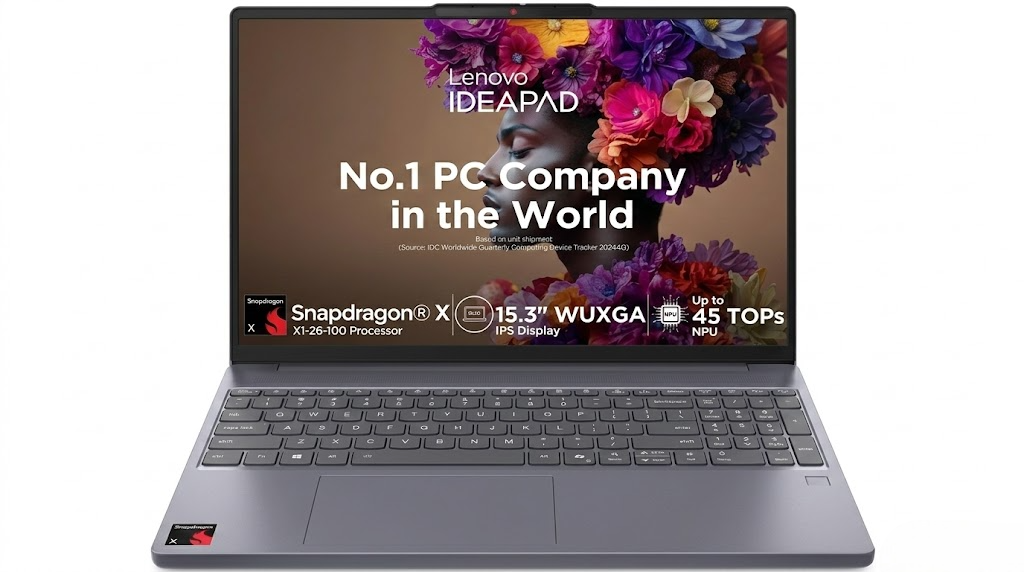
Many college students need a laptop, but the budget is not always very large. Then you need a laptop that is affordable and can do the necessary tasks properly. Lenovo IdeaPad Slim 3 is one such laptop.
If you are looking to buy a laptop for yourself for the first time and do not want to spend too much money, then this model can be a good option. Writing college assignments, taking online classes, video calls, browsing the internet or using simple software — these tasks can be done easily.
Its battery backup is also quite good. With normal use, it can run almost all day, which is quite convenient for using in college.
Key Specifications
- Processor: AMD Ryzen 5 5500U / Intel Core i3-1215U (variant dependent)
- RAM: 8 GB DDR4
- Storage: 256 GB / 512 GB SSD
- Display: 15.6-inch Full HD TN / IPS
- OS: Windows 11 Home
- Battery: About 8–9 hours
- Weight: About 1.65 kg
Pros
- One of the most affordable laptops on this list
- Battery life is good, can be used for a long time on a single charge
- The typing experience on the Lenovo keyboard is generally comfortable
- Lightweight design, so easy to carry to college every day
- Build quality is fairly good compared to the price
Cons
- TN display in the base variant, so the screen quality is not very good
- 8GB RAM and 256GB storage may need to be expanded in the future
- Performance is mainly suitable for daily work, not for very heavy work
Our Verdict
Those who are studying in college and first For those who want to buy a laptop but have a limited budget, the Lenovo IdeaPad Slim 3 is a realistic and good option.
Doing assignments, joining online classes, video calls, browsing—it can handle all these daily tasks with ease.
In short, it is a reliable laptop under ₹50,000 for students on a low budget.
How to Choose the Best Laptop Under ₹50,000 — Easy Budget Laptop Buying Guide
When buying a laptop, many people decide only based on the price and brand. But if you make a wrong decision, you have to regret it later. Therefore, it is very important to check a few important things before finalizing the laptop. This short guide below will help you avoid the marketing hype and choose the right laptop.
Processor (CPU) — The real power of the laptop
The processor can be called the brain of the laptop. How fast the laptop will work, how multitasking will be — everything depends on the processor.
Even in a budget of ₹50,000, quite good processors are now available.
- Intel Core i5 (12th or 13th Gen) — Great for coding, web development, multitasking
- AMD Ryzen 5 or Ryzen 7 (5000 / 7000 series) — Good performance and generally less heat
One important thing to remember —
- If your work involves coding, video editing, or heavy software, then it is better to avoid Intel i3 or Ryzen 3.
- Simply put, if you want good performance under ₹50,000, try to get at least an i5 or Ryzen 5 processor.
RAM — How much RAM do you need?
In 2026, 8GB RAM is now considered the minimum. But if possible, it is better to get 16GB RAM.
- 8 GB RAM: Good for general tasks like browsing, documents, video calls
- 16 GB RAM: Great for coding, video editing, heavy multitasking, or running virtual machines
One more thing to note —
Not all laptops can be upgraded with RAM. Some laptops have RAM soldered to the board and cannot be expanded later.
Storage — Don’t buy a laptop without an SSD
In 2026, it is absolutely not advisable to buy a laptop with an HDD (Hard Disk).
A laptop with an SSD (Solid State Drive) works much faster. For example—
- The laptop starts up quickly
- Software opens quickly
- The entire system feels much smoother
In terms of storage—
- 256 GB SSD: The bare minimum
- 512 GB SSD: Ideal for most people
If possible, it is better to get the 512GB variant instead of 256GB.
Display Quality — Many people don’t give importance to it, but it is very important
You will be looking at this screen for several hours every day. So it is very important to have a good display.
While buying a laptop, look at these things—
- Resolution: Always try to get Full HD (1920×1080)
- Panel Type: IPS or OLED > TN (good color and viewing angle)
- Anti-Glare Screen: Very useful when working next to a window or in a bright room
- Brightness: At least 250 nits is good for indoor use
Battery Life — Important for students and office users
It is quite annoying to carry a charger all the time. So the battery life needs to be good.
In general—
- It is good to have a real use battery life of 6–8 hours
- Sometimes the number that the company gives is shown a little higher
A common observation is—
- AMD Ryzen laptops often give a little better battery backup than Intel.
- And if possible, also check if there is Fast Charging support.
Build Quality and Weight
If you are a student or go out with a laptop every day, then weight and build quality are very important.
It is easy to carry if it is below 1.8 kg
Metal or aluminum body feels a little more premium
In this budget, there is no problem even if it is plastic body
Some laptops have MIL-STD-810H durability certification, which indicates extra durability.
Operating System
In India, most laptops under ₹50,000 have Windows 11 Home pre-installed.
Laptops that do not have an OS (No OS) are a little cheaper, but you have to buy Windows separately later—so the total cost increases.
And those who use Linux, first check whether the laptop has proper Linux driver support.
Brand Service Network in India
Many do not give importance to this, but it is very important.
Before buying a laptop, check—
- Is there an authorized service center in your city or district
- How long is the warranty (usually 1 year)
- Is there on-site service or pickup service
In India, HP, Dell, Lenovo, ASUS and Acer—the service network of these brands is usually quite strong.
Conclusion — Best Laptop Under 50000: Our Final Recommendation
Finding a good laptop under ₹50,000 in India is actually not that difficult. With a little bit of information, you can easily choose a laptop that suits your needs. If you are a student, work in an office or learn coding—there are some good options in this budget too.
To understand everything easily, take a look at our top picks—
- Best Overall / Coding: Acer Aspire Lite (i5-12450H, 16GB RAM)
- Best Display / Students: ASUS Vivobook Go 15 OLED
- Best for Office Work: HP 15 (Ryzen 7 5825U)
- Most Reliable Brand: Dell Inspiron 15 3535
- Best Budget Pick: Lenovo IdeaPad Slim 3
If you are still a little confused about which one to get, then Acer Aspire Lite can be said to be a safe choice. It is quite balanced in terms of performance, RAM and daily usage.
Simply put, if you want a budget laptop under ₹50,000 that can handle almost any task, then the Acer Aspire Lite won’t disappoint you.
Frequently Asked Questions (FAQ)
Q1. Which is the best laptop under ₹50,000 in India in 2026?
In our opinion, the Acer Aspire Lite (i5-12450H) is one of the most balanced laptops in this price range. It has a 12th Gen Intel i5 processor, 16GB RAM and 512GB SSD—which really gives good value for this price.
Whether it’s for students, learning to code, office work or daily multitasking—this laptop performs quite well.
Q2. Is 8GB RAM enough for a laptop under ₹50,000?
8GB RAM is still usable for general tasks. Like—browsing, taking notes, online classes or watching videos.
But if you code, run multiple software at once or do heavy multitasking, then it’s better to go for 16GB RAM.
16GB RAM is considered ideal for performance in 2026 for most people.
Q3. Intel i5 or AMD Ryzen 5 under ₹50,000 — Which is better?
Actually, both are very good options. You can take either one according to your usage.
Intel i5 (12th Gen) — Single-core performance is good, so it works well in coding or many Windows software
AMD Ryzen 5 — Generally gives good battery backup and handles multitasking well
Simply put, i5 or Ryzen 5 under ₹50,000 — both are good choices, you just have to choose according to your work style.
Q4. Is it worth buying an OLED laptop under ₹50,000?
Yes, of course.
ASUS Vivobook Go 15 OLED has shown that it is possible to get a good display even in this budget.
The big advantage of OLED screens is—
- Colors are much more vivid
- Blacks are very deep
- Contrast is much better
Watching videos or pictures on OLED screens is much better than normal IPS displays. So if display quality is important to you, then getting an OLED laptop is definitely a good decision.
Q5. Which laptop is good for coding under ₹50,000?
Our first choice for coding is Acer Aspire Lite (i5-12450H). Because it has 16GB RAM and the processor is also quite powerful.
This laptop can easily run Python, Java, Web Development tools or other development software. Even light Docker containers or development environments run quite well.
So it is a very good option for coding under ₹50,000.
Q6. Where is the best place to buy a laptop under ₹50,000 in India?
Amazon India and Flipkart are very popular platforms for buying laptops in India. They often offer discounts, bank offers or EMI options.
On the other hand, if you want to buy a laptop in person, offline stores are also good options—
- Croma
- Reliance Digital
Official showrooms of various brands
Another tip—
During big sales like Big Billion Days or Great Indian Festival, the price of many laptops drops below ₹50,000. Then there is a chance to get a good deal.
Why Trust Us?
Our goal is simple — to provide you with accurate, reliable, and truthful information. That’s why we always follow the E-E-A-T guidelines, which Google uses for their content quality. E-E-A-T stands for Experience, Expertise, Authoritativeness, and Trustworthiness.